
Booking policies give you control over how and when clients can cancel or reschedule their appointments. You can set a deadline (e.g. "must cancel at least 24 hours in advance") and a maximum number of reschedules allowed. Set them once for the whole account under Settings, then override them on any offering that needs different rules.
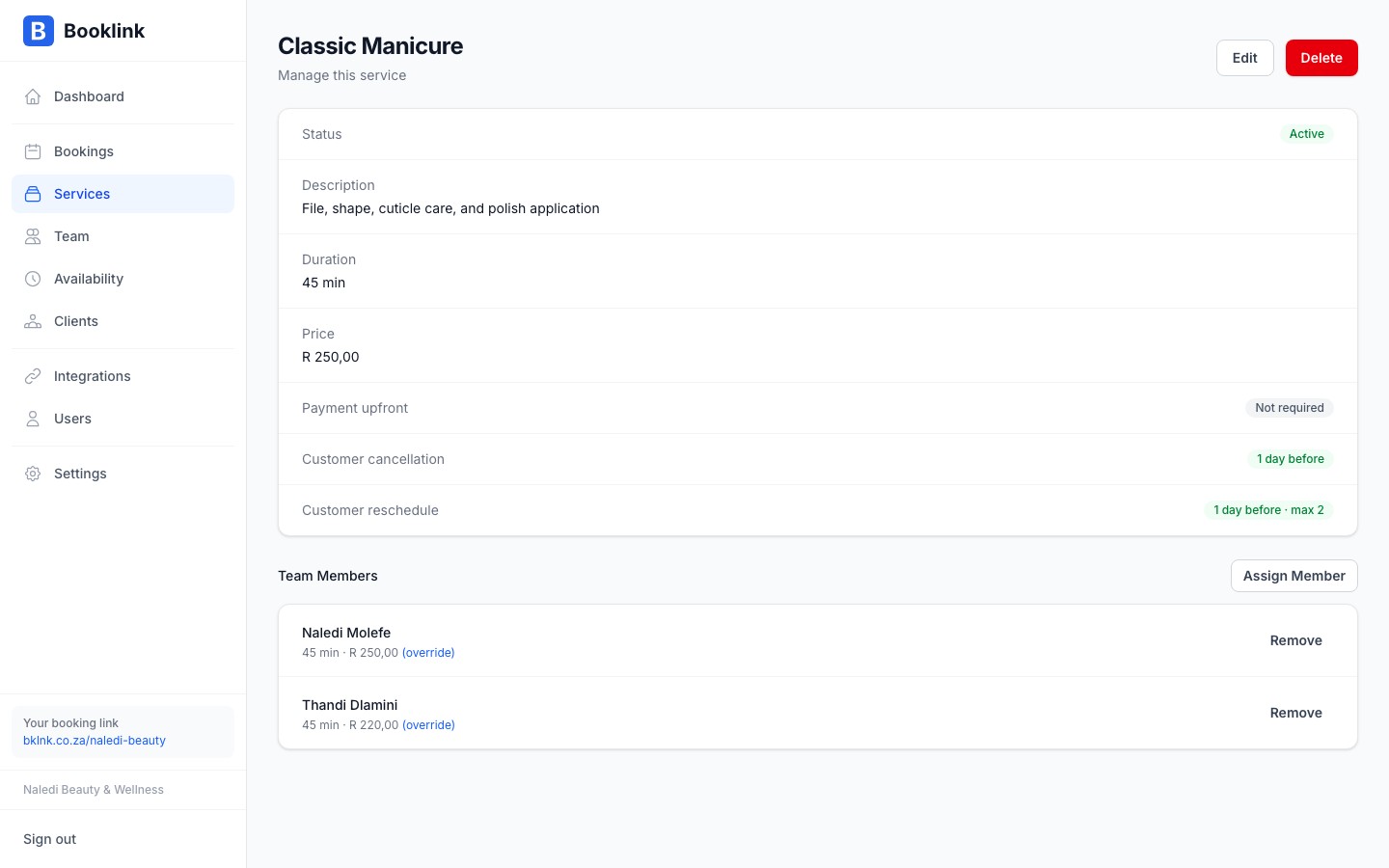
Account defaults and offering overrides
The account-wide rules live under Settings → Booking defaults → Cancellations & rescheduling. Every new offering follows them automatically, so you only set the rules once.
On an offering's page, the Booking rules section shows a Cancellation & rescheduling card:
- Account default: the offering follows the account rules. Change the account rules and every offering set this way updates with them.
- Override: click Override to give this offering its own rules. The cancellation and rescheduling cards appear below, starting from the current account values.
- Reset: switches the offering back to the account default. Your override values are kept, so a later Override restores them.
The Booking defaults page shows how many offerings currently override the account rules. Offerings created before this feature keep the rules they already had, so nothing changes for them until you reset them to the account default.
Cancellation deadline
The cancellation deadline is the minimum amount of notice a client must give to cancel their booking without penalty. It is set in hours.
For example, if you set a 24-hour cancellation deadline:
- A client with a booking at 10:00 on Friday must cancel before 10:00 on Thursday
- If they try to cancel after that cutoff, they are told that the cancellation deadline has passed
Set this to 0 if you want to allow cancellations at any time.
Rescheduling deadline
The rescheduling deadline works the same way as the cancellation deadline, but applies to rescheduling requests. Set it in hours. For example, a value of 48 means clients must reschedule at least 48 hours before their appointment.
Maximum reschedules
You can limit how many times a client can reschedule a single booking. Set max reschedules to a number like 1 or 2, or leave it at 0 for unlimited rescheduling.
This prevents clients from repeatedly moving their appointment and holding a slot in your calendar indefinitely.
Recommended policy for Naledi Beauty
For beauty and wellness services, a 24-hour cancellation deadline and a maximum of 2 reschedules is a reasonable default. This gives clients flexibility while protecting your time from last-minute cancellations.Important
Booking policies are currently informational — they are shown to clients on the booking page and in confirmation emails, but Booklink does not automatically charge cancellation fees. If you require a deposit to discourage no-shows, use the payment required feature instead.