
Auto-confirm removes the need for you to manually approve every new booking. Reminders help reduce no-shows by sending clients automatic emails (and optionally WhatsApp messages) before their appointment. Auto-confirm lives on the Defaults settings; reminders live on the Messages settings.
Auto-confirm
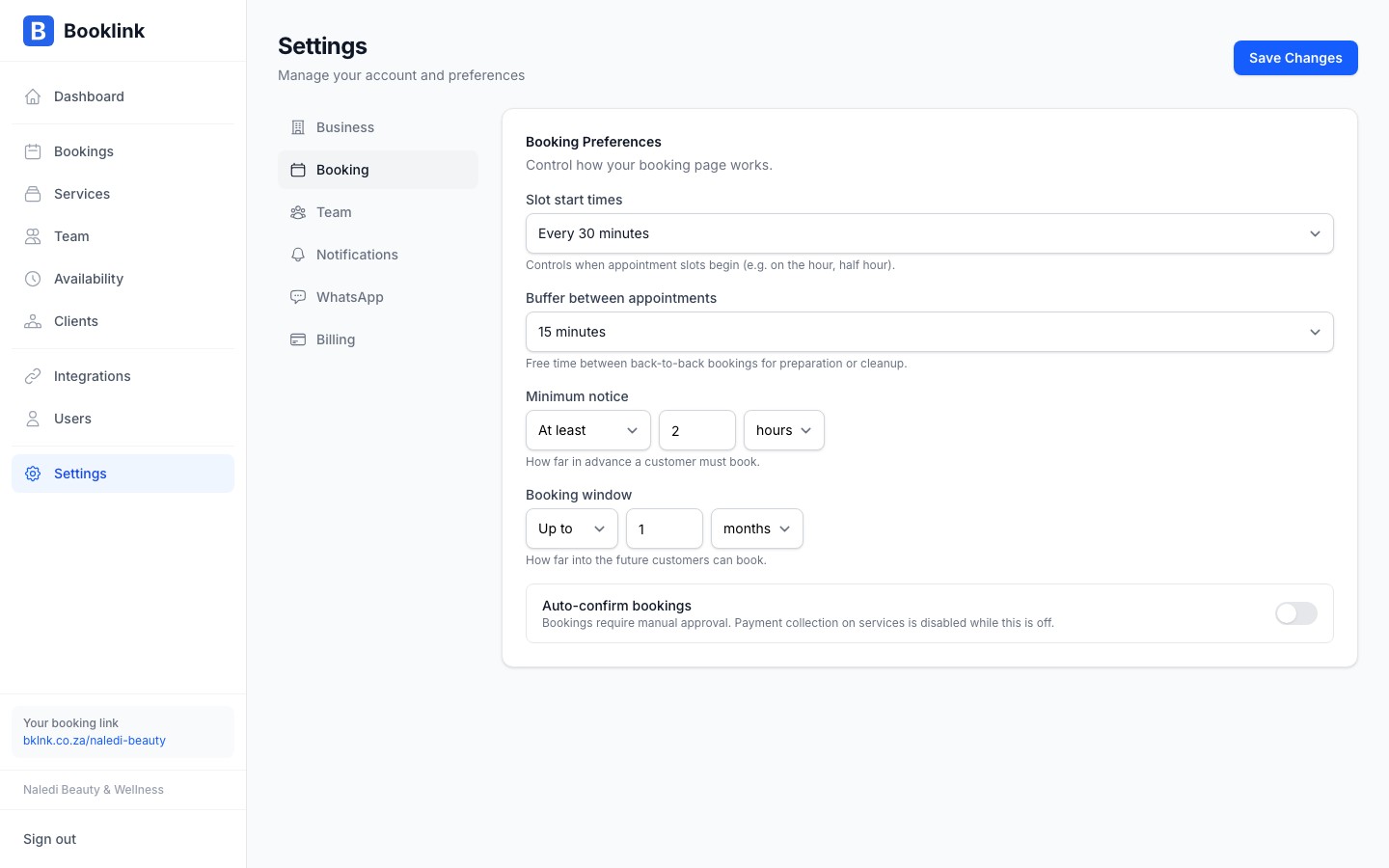
When Auto-confirm bookings is on, every new booking is confirmed the moment the client submits the booking form. The client receives their confirmation email immediately, with no waiting for your approval.
When auto-confirm is off, new bookings sit in a Pending state until you confirm them, and payment collection on services is disabled.
To toggle this, go to Defaults in the sidebar and find the Auto-confirm bookings switch in the Confirmation section.
Email reminders (Pro)
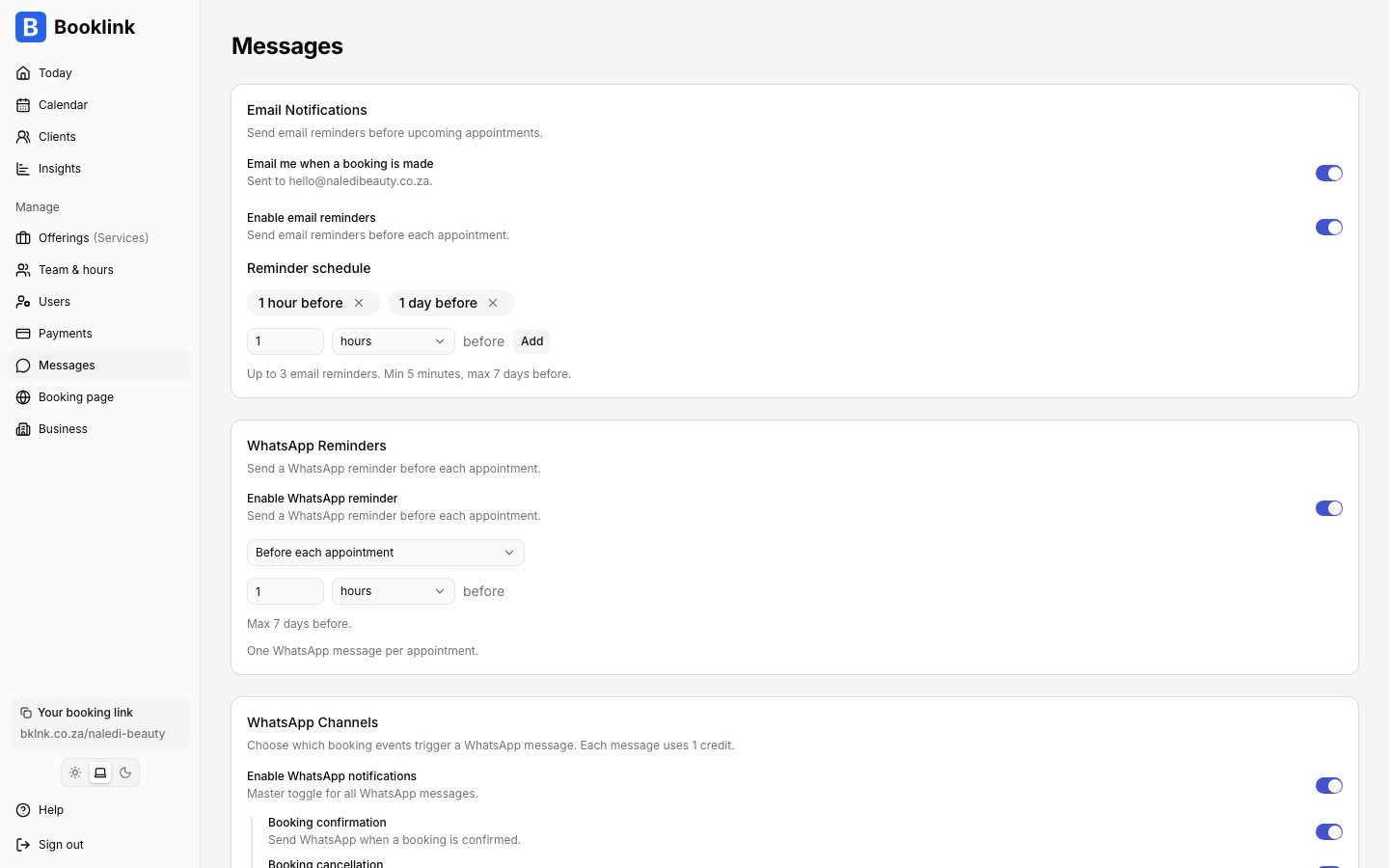
Booklink can automatically email clients before their appointment. To configure this, go to Messages in the sidebar and find the Email Notifications card. Switch on Enable email reminders, then build your reminder schedule:
- Add up to 3 reminders per booking, each a set time before the appointment (for example 24 hours before and 1 hour before)
- Reminders can be between 5 minutes and 7 days before the start time
- If you add no reminders, a default of 24 hours before is used
Automatic reminders are a Pro feature.
The reminder email includes the appointment date, time, service, and team member name. It also contains the client's manage-my-booking link in case they need to reschedule or cancel.
New booking notifications
The same Messages page has an Email me when a booking is made switch. When on, every new booking triggers a notification to your business email. Team members with a notification email set also receive notifications for bookings assigned to them.
WhatsApp reminders
WhatsApp reminders are configured separately on the same Messages page, with their own timing. See the WhatsApp notifications article for setup instructions.