
WhatsApp messages are sent using a pre-paid credit system. Each message sent costs one credit. Credits are purchased in bundles and never expire. When your balance runs low, you can top up manually or set up automatic top-ups to keep messages flowing without interruption.
Checking your credit balance
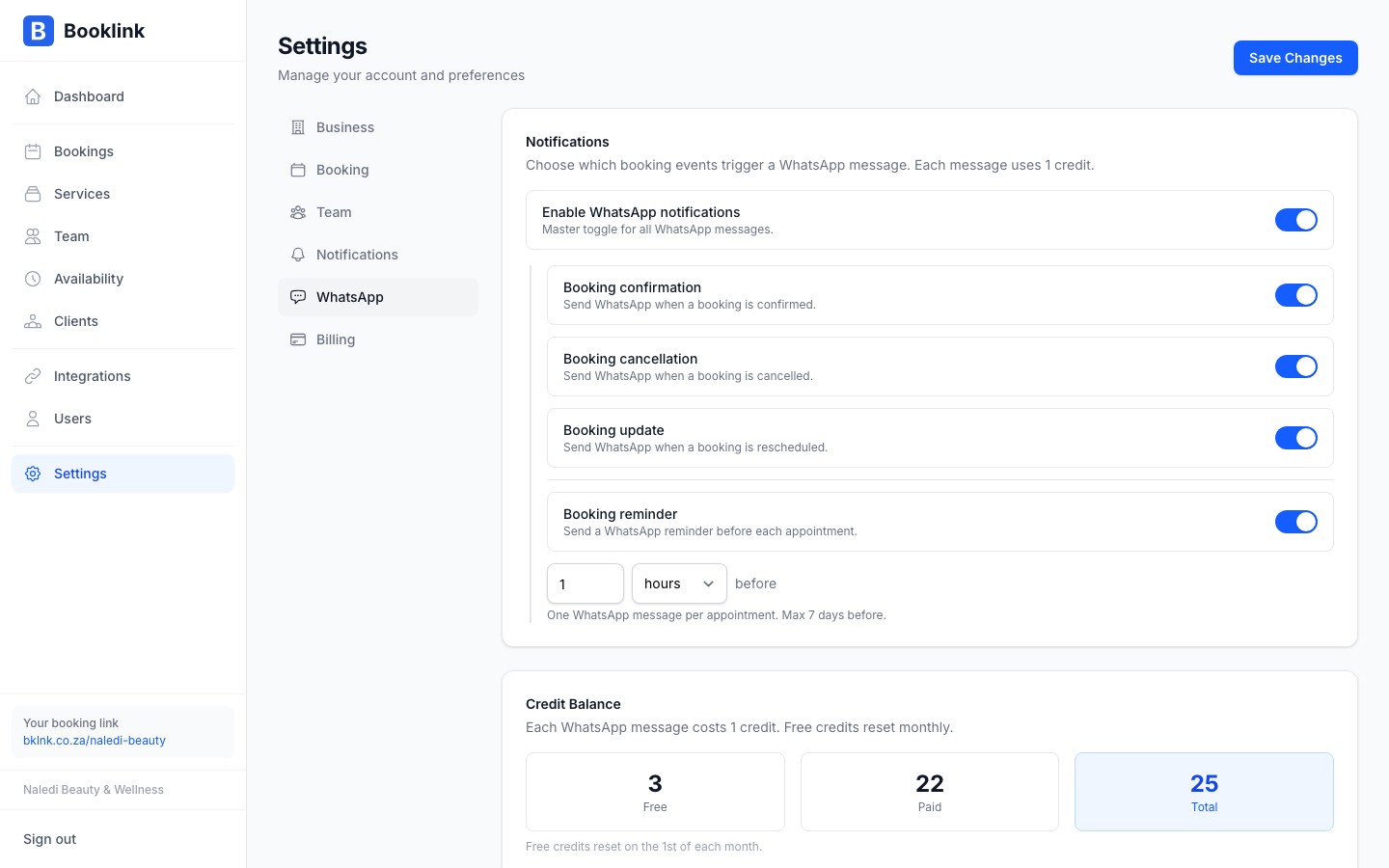
Go to Messages in the sidebar and click the WhatsApp credits card at the bottom of the page. Your current balance is shown at the top and updates in real time as messages are sent.
Purchasing credits
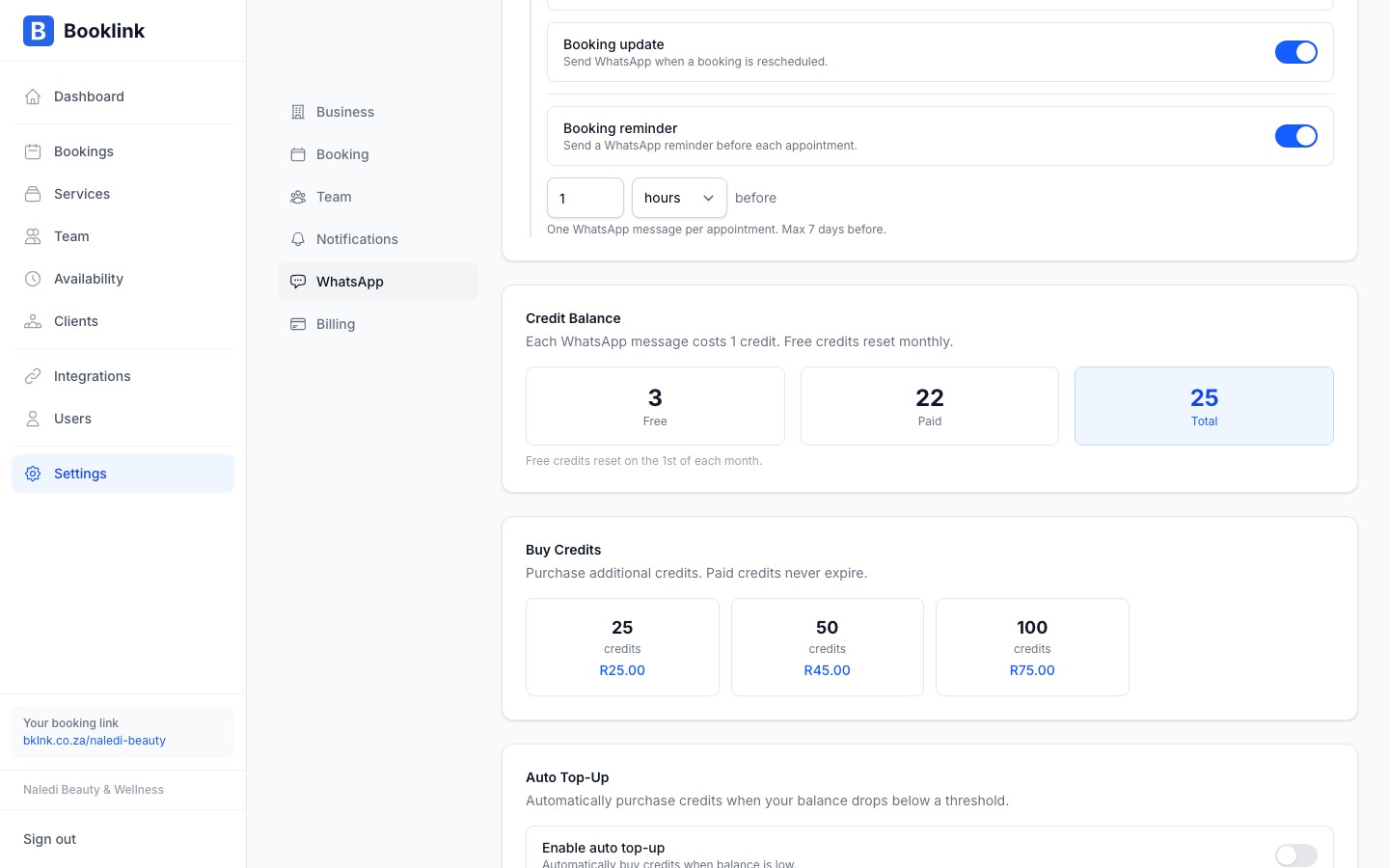
To buy more credits, choose a bundle on the WhatsApp credits page. Larger bundles have a lower cost per credit. Payment is processed immediately via a secure card payment.
Auto top-up
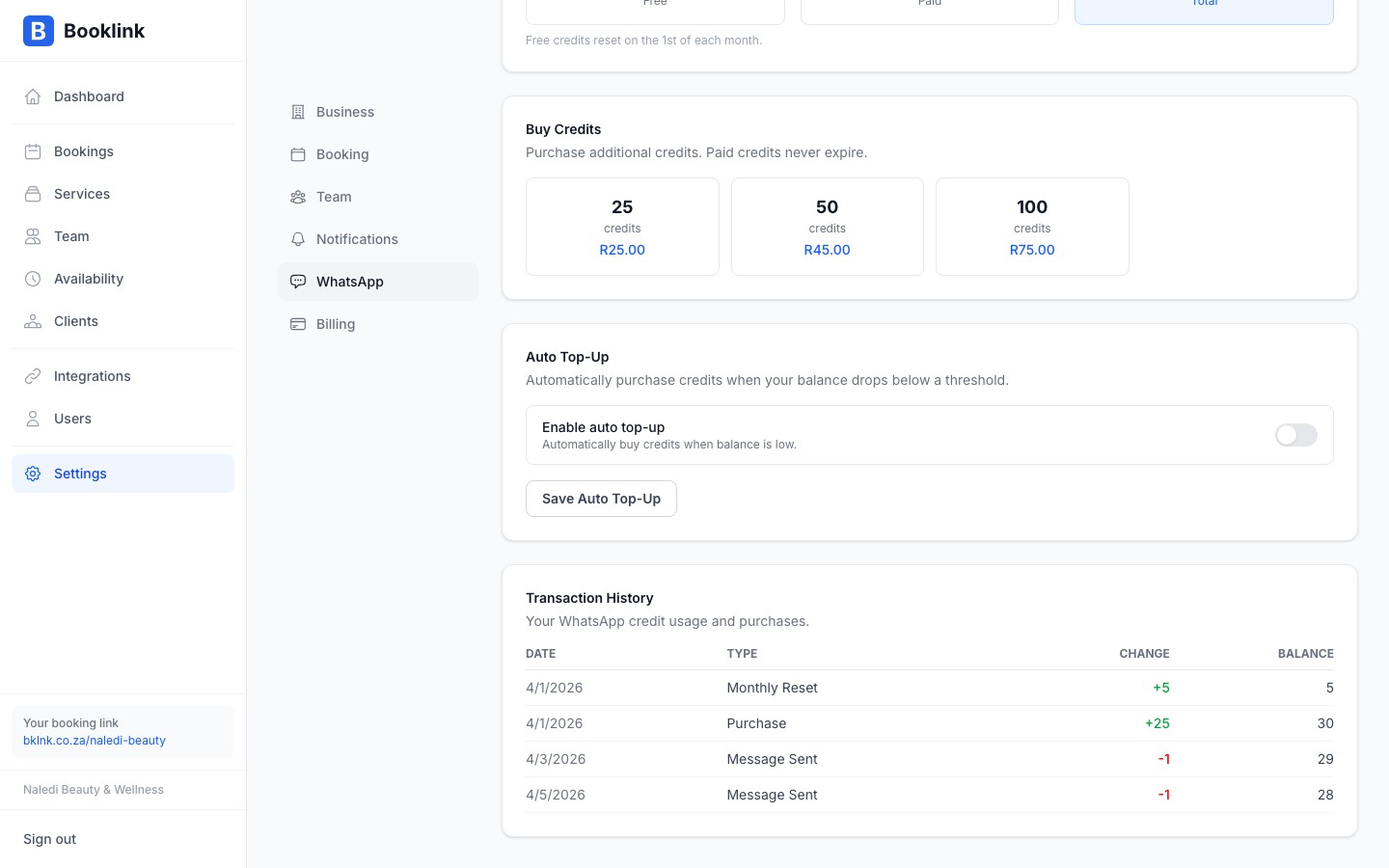
Auto top-up automatically purchases a credit bundle when your balance falls below a threshold you set. This ensures your WhatsApp notifications keep working even when you forget to check your balance.
On the WhatsApp credits page, find the Auto top-up section and configure:
- Trigger balance: the balance level that triggers a top-up (e.g., 10 credits remaining)
- Bundle to purchase: which credit bundle to buy automatically each time
How many credits do you need?
Count the number of bookings you typically get per month, then multiply by the number of WhatsApp notifications enabled per booking (confirmation, reminder, etc.). For example: 40 bookings/month with 2 notifications each needs about 80 credits/month. Start with a bundle slightly larger than that estimate.